Artificial intelligence is changing the way designers generate ideas, create visual content, improve workflows, and deliver projects. From producing early concepts in seconds to removing backgrounds, generating color palettes, writing design copy, and creating realistic images, AI for designers has become an essential part of modern creative work.
AI does not replace creativity. Instead, it helps designers spend less time on repetitive tasks and more time on strategy, storytelling, and creating meaningful visual experiences.
In this guide, we will explore how designers can use artificial intelligence, the most useful AI tools for different design tasks, and practical ways to integrate AI into a professional design workflow.
What Is AI for Designers?
AI for designers refers to artificial intelligence tools that assist with different stages of the design process. These tools can analyze text, images, colors, layouts, user behavior, and visual styles to generate or improve creative content.
Designers can use AI to:
- Generate design concepts.
- Create images from text prompts.
- Edit and enhance photographs.
- Build color palettes.
- Suggest fonts and typography combinations.
- Remove image backgrounds.
- Generate logos and brand elements.
- Create website layouts.
- Write headlines and marketing copy.
- Produce videos and animations.
- Turn sketches into polished designs.
The goal is not to allow AI to make every creative decision. The goal is to use AI as a creative assistant that accelerates production while the designer remains responsible for quality, originality, and brand consistency.
Why Is AI Important for Designers?
Design projects often include many time-consuming tasks before the final creative work begins. Designers may need to research competitors, collect references, build mood boards, test layouts, search for suitable images, create multiple versions, and prepare files for different platforms.
AI can make these processes faster.
For example, a designer can describe a campaign idea and generate several visual directions within minutes. Instead of manually editing every product photo, an AI tool can remove backgrounds or improve image quality automatically.
This allows designers to explore more ideas without increasing production time.
The main benefits of AI for designers include:
Faster Idea Generation
Creative blocks can slow down a project. AI can generate concepts, themes, headlines, visual styles, and mood-board ideas based on a simple description.
The designer can then evaluate the suggestions and develop the strongest direction.
More Efficient Workflows
AI can automate repetitive tasks such as resizing images, removing backgrounds, generating variations, correcting colors, and organizing design assets.
Easier Visual Experimentation
Designers can quickly test different lighting styles, compositions, colors, materials, and environments before creating the final design.
Improved Accessibility
People without advanced technical skills can use AI-powered design platforms to create professional-looking visuals. Professional designers can use the same tools to produce prototypes and early concepts more efficiently.
Higher Content Output
A single design may need to be adapted for websites, advertisements, social media platforms, presentations, and email campaigns. AI can help create multiple formats and variations from one central concept.
Best Uses of AI for Designers
Artificial intelligence can support almost every area of graphic and digital design. Here are some of the most valuable applications.
1. Generating Images from Text
AI image generators allow designers to create visuals by describing what they want in natural language.
A prompt may include:
- The main subject.
- The environment.
- The visual style.
- The camera angle.
- The lighting.
- The color palette.
- The image dimensions.
- The level of detail.
For example:
A minimalist product advertisement for a luxury perfume bottle on a black marble surface, soft cinematic lighting, gold reflections, premium editorial photography, vertical composition.
The quality of the result depends heavily on the quality of the prompt. Designers can use prompt-generation platforms such as GeneratePrompt.ai to organize their ideas into more detailed image prompts, including style, composition, lighting, camera angle, and image dimensions.
Popular AI image-generation tools include Midjourney, Adobe Firefly, DALL·E, Leonardo AI, and Stable Diffusion-based platforms.
2. Creating Design Concepts and Mood Boards
Before starting a project, designers usually collect visual references to establish the intended style.
AI can help generate:
- Campaign concepts.
- Mood-board descriptions.
- Art direction ideas.
- Photography styles.
- Packaging themes.
- Brand personalities.
- Interior and environmental concepts.
A designer can enter information about the target audience, product, industry, and brand values. The AI can then suggest several creative directions.
These suggestions should be treated as starting points rather than final decisions.
3. Removing and Replacing Backgrounds
Background removal is one of the most practical uses of AI for designers.
Tools such as Remove.bg, Adobe Express, Canva, and PhotoRoom can automatically detect the main subject and separate it from the background.
Designers can then:
- Place products in new environments.
- Create transparent PNG files.
- Prepare e-commerce images.
- Build social media advertisements.
- Create product catalogs.
- Produce consistent profile images.
Some platforms also generate completely new backgrounds that match the lighting and perspective of the original subject.
4. Improving Image Quality
AI image-enhancement tools can increase resolution, sharpen details, reduce noise, restore older photographs, and correct blurry images.
This is useful when a client provides a low-quality logo or photograph that must be used in a larger design.
However, AI enhancement cannot always recover the exact original details. Designers should inspect the final result carefully, particularly when working with faces, text, logos, or important product features.
5. Generating Color Palettes
Choosing the right colors can influence how users perceive a brand or product.
AI-powered color tools can generate palettes based on:
- Brand personality.
- Industry.
- Target audience.
- Emotions.
- Existing images.
- Specific keywords.
- Accessibility requirements.
Tools such as Khroma and Coolors can help designers discover suitable color combinations and explore alternative palettes.
The designer should still check contrast, readability, and consistency across digital and printed materials.
6. Selecting Fonts and Typography
AI can help designers find font combinations for websites, social posts, brand identities, and presentations.
Typography tools can suggest:
- Heading and body-font combinations.
- Fonts that match a specific personality.
- Alternatives to expensive fonts.
- Suitable type scales.
- Spacing and hierarchy recommendations.
Fontjoy is one example of a tool designed to generate font pairings.
For Arabic and multilingual designs, designers should manually verify letter connections, readability, alignment, and support for all required characters.
7. Building Website and Application Interfaces
AI is becoming increasingly useful in UI and UX design.
Designers can use AI to:
- Generate wireframes.
- Create landing-page structures.
- Suggest user-interface components.
- Produce placeholder content.
- Convert written instructions into layouts.
- Analyze user flows.
- Generate design-system documentation.
- Create website prototypes.
Platforms such as Figma, Framer, Canva, and other AI website builders can speed up early-stage design work.
The generated interface should still be reviewed for usability, accessibility, mobile responsiveness, and brand consistency.
8. Creating Logos and Brand Identities
AI logo generators can produce initial logo directions based on a business name, industry, preferred colors, and design style.
These tools may be useful for brainstorming, but a professional brand identity requires more than a generated symbol.
A complete identity should consider:
- Brand positioning.
- Competitor differentiation.
- Logo scalability.
- Typography.
- Color systems.
- Iconography.
- Brand applications.
- Cultural context.
- Trademark availability.
Designers should avoid delivering an unedited AI-generated logo as a finished identity. The output should be refined and converted into a consistent visual system.
9. Writing Copy for Designs
Visual design frequently depends on written content. AI writing tools can help designers create:
- Advertisement headlines.
- Calls to action.
- Product descriptions.
- Presentation titles.
- Website sections.
- Social media captions.
- Placeholder text.
- Creative campaign slogans.
The copy should match the brand’s tone and fit the available design space.
Designers should also check grammar, accuracy, and whether the message communicates a clear benefit to the intended audience.
10. Creating Videos and Motion Graphics
AI can support video designers by generating footage, scripts, voiceovers, subtitles, transitions, and animation ideas.
Tools such as Runway, Adobe applications, Canva, CapCut, and other AI video platforms can assist with:
- Text-to-video generation.
- Image animation.
- Background removal.
- Video extension.
- Automatic subtitles.
- Object removal.
- Voice generation.
- Scene planning.
AI-generated video should be reviewed frame by frame because visual inconsistencies may appear during motion.
Best AI Tools for Designers
The best tool depends on the task. Designers do not need to use every available AI platform.
Here are useful categories to consider:
For Image Generation
- Midjourney
- Adobe Firefly
- DALL·E
- Leonardo AI
- Stable Diffusion tools
For Prompt Creation
- GeneratePrompt.ai
- ChatGPT
- Claude
- Gemini
For Graphic Design
- Canva
- Adobe Express
- Microsoft Designer
For UI and Website Design
- Figma
- Framer
- Webflow
- Uizard
For Image Editing
- Adobe Photoshop
- PhotoRoom
- Remove.bg
- Clipdrop
For Video Design
- Runway
- CapCut
- Canva
- Adobe Premiere Pro
For Color and Typography
- Khroma
- Coolors
- Fontjoy
A designer should choose tools that integrate naturally with the existing workflow instead of constantly switching between multiple platforms.
How to Write Better AI Prompts for Design
A weak prompt produces generic results. A detailed prompt gives the AI clearer creative direction.
An effective design prompt should include:
Subject
Describe the central object, person, product, or scene.
Style
Specify whether the design should be minimalist, futuristic, editorial, cinematic, realistic, three-dimensional, vintage, or illustrated.
Composition
Explain where the main subject should appear and how the visual elements should be arranged.
Lighting
Mention natural light, studio lighting, soft shadows, neon lighting, dramatic contrast, or another preferred lighting style.
Color Palette
Identify the main colors or describe the intended mood.
Perspective
Specify the camera angle, such as a top-down view, close-up, wide angle, eye-level shot, or isometric perspective.
Format
Define whether the output is intended for a website banner, Instagram post, product advertisement, presentation cover, or another format.
Exclusions
Mention elements that should not appear in the result.
Here is an example of a detailed prompt:
Create a clean promotional visual for a modern productivity application. Show a laptop displaying an elegant dashboard interface on a light wooden desk. Use soft natural lighting, neutral beige and blue colors, minimal composition, realistic commercial photography, eye-level camera angle, generous negative space on the right for advertising text, landscape format, without visible brand logos.
Prompt-building tools can help designers convert simple ideas into structured instructions without manually writing every technical detail.
A Practical AI Workflow for Designers
A professional workflow may include the following stages:
Stage 1: Research
Use AI to summarize the project brief, identify audience needs, organize competitor observations, and generate research questions.
Stage 2: Concept Development
Generate several creative directions, campaign themes, mood-board ideas, and visual descriptions.
Stage 3: Visual Exploration
Create sample images, color combinations, typography options, and rough layouts.
Stage 4: Design Production
Develop the selected direction using professional design software. Refine the layout, typography, spacing, visual hierarchy, and brand elements manually.
Stage 5: Quality Control
Review the final work for errors, visual inconsistencies, incorrect text, accessibility issues, and AI-generated artifacts.
Stage 6: Content Adaptation
Create alternative sizes and formats for different platforms while maintaining the same visual identity.
This workflow allows AI to improve speed without removing the designer’s creative control.
Limitations of AI in Design
Although AI can generate impressive visual content, it still has important limitations.
AI may produce:
- Incorrect text inside images.
- Inconsistent hands, faces, or objects.
- Unclear visual hierarchy.
- Generic concepts.
- Inaccurate cultural details.
- Brand inconsistencies.
- Similar-looking outputs.
- Elements that cannot be used commercially.
Designers must also consider copyright, licensing, client confidentiality, and the terms of the AI platform being used.
Sensitive client information should not be uploaded to a public AI tool without authorization.
Will AI Replace Graphic Designers?
AI is more likely to change the designer’s role than eliminate it.
Clients do not only pay designers to create attractive images. They need designers to understand business goals, audiences, communication problems, cultural context, visual strategy, and brand positioning.
AI can create visual options, but it cannot automatically determine which option is strategically correct for every brand.
Designers who understand both creativity and AI will be able to:
- Produce ideas more quickly.
- Offer more visual options.
- Automate repetitive tasks.
- Focus on strategic decisions.
- Deliver projects more efficiently.
- Expand their creative services.
The strongest results come from combining human judgment with AI-assisted production.
Frequently Asked Questions About AI for Designers
What is the best AI for designers?
There is no single best tool for every designer. Adobe Firefly and Midjourney are useful for image creation, Canva supports quick visual production, Figma helps with interface design, and Runway supports AI-assisted video creation.
The right choice depends on the type of design work being completed.
Can graphic designers use AI?
Yes. Graphic designers can use AI for brainstorming, image generation, image editing, layout exploration, background removal, color selection, typography research, copywriting, and content resizing.
Is AI-generated design free?
Some AI design tools offer free plans with limited usage. Others require subscriptions or charge based on credits, image generations, exports, or advanced features.
How can designers improve AI-generated images?
Designers can improve results by writing detailed prompts, generating several variations, combining multiple outputs, editing the selected image manually, and correcting inconsistencies with professional design software.
Do designers need prompt-engineering skills?
Designers do not need to become technical prompt engineers, but learning how to describe style, lighting, composition, perspective, colors, and format will significantly improve AI-generated results.
Can AI create a complete brand identity?
AI can help generate logo concepts, colors, typography ideas, and visual references. However, a complete brand identity requires research, strategy, consistency, refinement, and professional judgment.
Conclusion
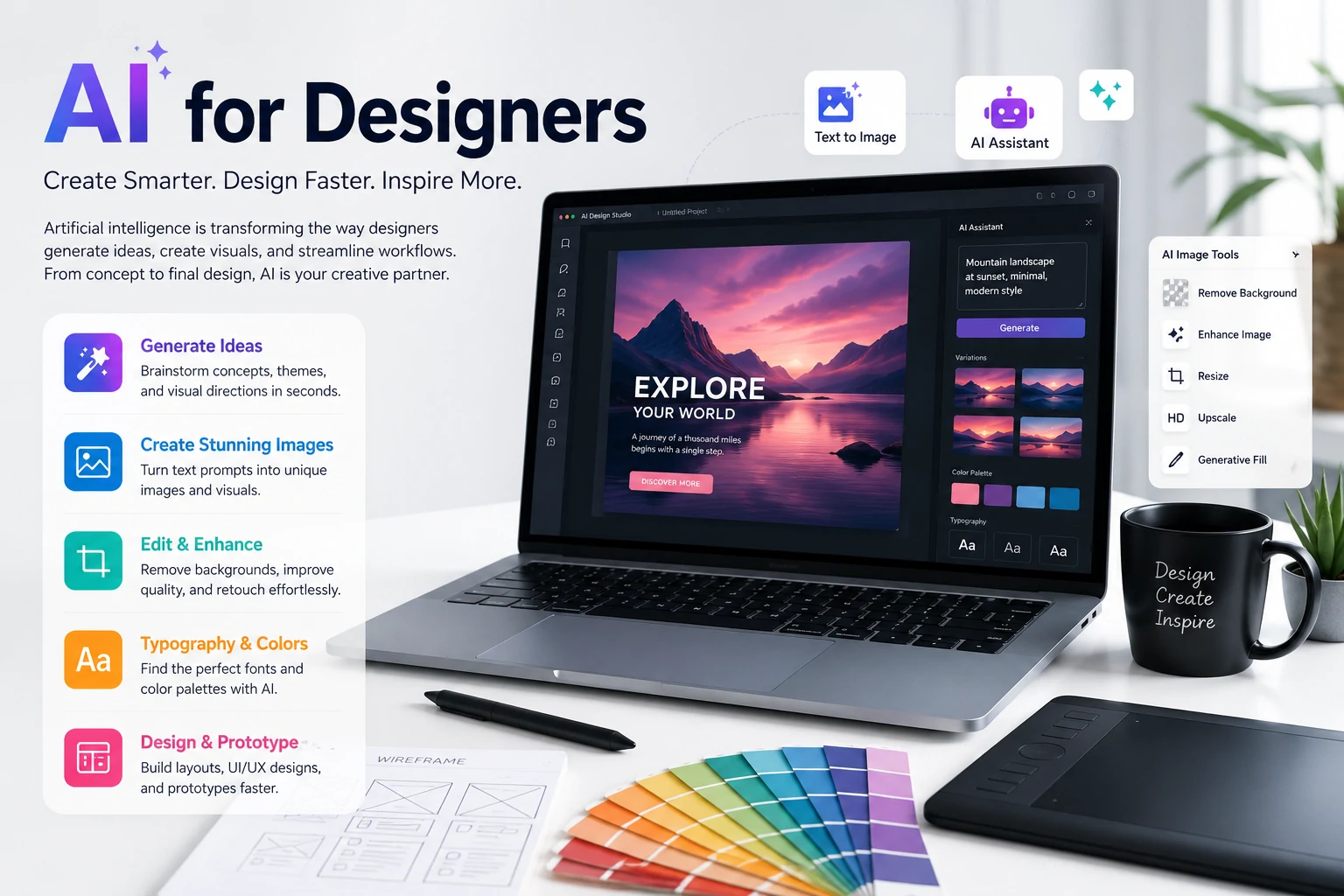
AI for designers is not simply a trend. It is becoming a practical part of modern creative workflows.
Designers can use artificial intelligence to generate concepts, create images, edit content, explore visual directions, build prototypes, and automate repetitive tasks. However, the quality of the final work still depends on human creativity, strategic thinking, and attention to detail.
The most successful designers will not rely on AI to make every decision. They will use it intentionally—as a creative assistant that helps them work faster, experiment more freely, and focus on the parts of design that require genuine human understanding.