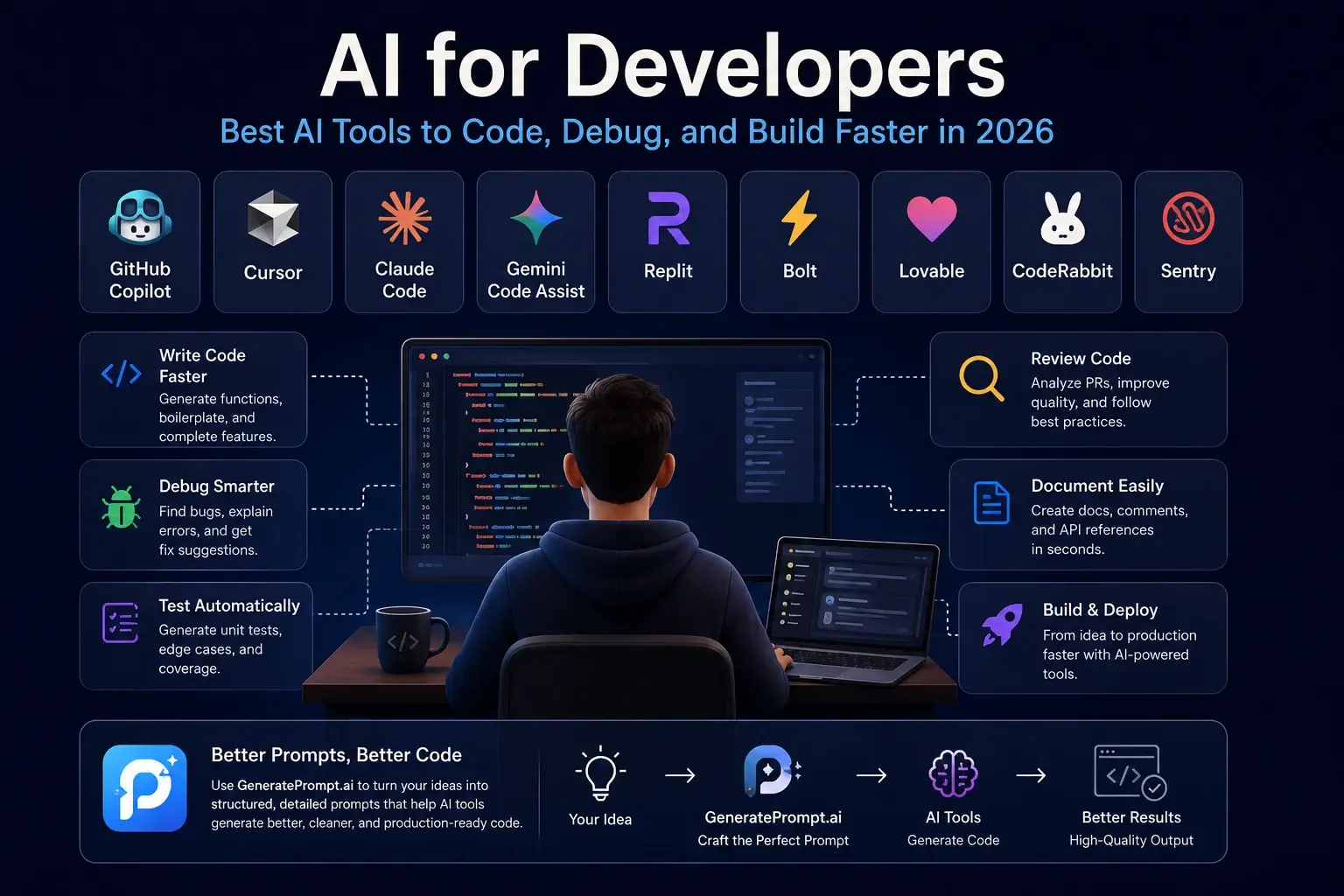
AI for Developers: Best AI Tools to Code, Debug, and Build Faster in 2026
Meta Description:
Discover the best AI for developers tools to write code, debug applications, review pull requests, generate tests, and build software faster. Learn how better prompts can improve AI-generated code.
Suggested URL Slug:
/blog/ai-for-developers
Artificial intelligence is no longer just a chatbot that generates a few lines of code.
Today, AI for developers has become an essential part of the software development workflow. Developers can use AI to plan applications, write functions, understand unfamiliar codebases, detect bugs, create tests, review pull requests, generate documentation, and even build complete applications from simple instructions.
However, using a powerful AI model does not automatically guarantee high-quality code.
The quality of the result often depends on the quality of the prompt.
A vague request may produce incomplete, insecure, or poorly structured code. A detailed prompt that explains the project, programming language, technical requirements, expected output, and limitations can produce significantly better results.
This guide explores the best AI tools for developers and explains how to use them effectively.
What Is AI for Developers?
AI for developers refers to artificial intelligence tools designed to support software development tasks.
These tools can assist with:
- Writing and completing code
- Explaining complex functions
- Finding and fixing bugs
- Refactoring existing code
- Generating unit tests
- Reviewing pull requests
- Creating technical documentation
- Converting designs into interfaces
- Building prototypes and full applications
- Learning new programming languages and frameworks
AI does not replace the developer’s technical judgment. Instead, it reduces repetitive work and allows developers to focus on architecture, problem-solving, product decisions, and user experience.
Best AI Tools for Developers
1. GitHub Copilot
GitHub Copilot is one of the most popular AI coding assistants.
It integrates with development environments such as Visual Studio Code and helps developers complete code, generate functions, explain code, and suggest solutions directly inside the editor.
GitHub Copilot is useful for:
- Code completion
- Function generation
- Writing repetitive code
- Generating tests
- Explaining unfamiliar code
- Creating documentation
It works best when the project contains clear file names, comments, types, and consistent coding patterns.
2. Cursor
Cursor is an AI-powered code editor designed for working with complete codebases.
Unlike basic autocomplete tools, Cursor can understand multiple files, answer questions about a project, modify existing code, and help implement new features.
Developers can use Cursor to:
- Explore large repositories
- Refactor multiple files
- Fix bugs across a project
- Generate features from natural-language instructions
- Understand dependencies between files
- Apply code changes directly
Cursor becomes especially powerful when the developer provides clear instructions about the desired behavior, affected files, coding standards, and acceptance criteria.
3. Claude Code
Claude Code is an AI coding tool designed to work directly with development projects.
It can inspect files, understand code structure, make changes, explain implementation decisions, and assist with debugging.
Claude Code is useful for:
- Understanding complex repositories
- Planning technical changes
- Refactoring code
- Fixing bugs
- Writing tests
- Automating development tasks
For better results, developers should describe the problem, expected behavior, technical constraints, and files that should or should not be modified.
4. Gemini Code Assist
Gemini Code Assist is Google’s AI assistant for software development.
It helps developers generate code, receive suggestions, explain technical concepts, and work with code inside supported development environments.
It can assist with:
- Code generation
- Code completion
- Debugging
- Documentation
- Learning APIs and frameworks
- Reviewing technical solutions
Gemini Code Assist can be especially useful for developers working with Google Cloud services and related development ecosystems.
5. Replit
Replit combines an online development environment with AI-powered application-building tools.
It allows users to create, run, test, and deploy software from the browser.
Replit is useful for:
- Building quick prototypes
- Learning programming
- Creating small web applications
- Testing ideas
- Collaborating with other developers
- Generating application structures with AI
It is a practical option for developers who want to move quickly from an idea to a working prototype without configuring a complex local environment.
6. Bolt
Bolt allows developers and non-developers to create web applications using natural-language instructions.
A user can describe an application, and Bolt can generate the interface, project files, components, and functionality.
It is suitable for:
- Building MVPs
- Creating landing pages
- Testing product ideas
- Generating frontend interfaces
- Developing full-stack prototypes
- Exploring new application concepts
The more detailed the initial prompt is, the more accurate the generated application will be.
Instead of writing:
Build a project management app.
A stronger instruction would explain:
- The target users
- The required pages
- User roles
- Database structure
- Authentication requirements
- Main features
- Preferred framework
- Design style
- Responsive behavior
- Expected output
7. Lovable
Lovable is an AI application-building platform that transforms written instructions into functional web applications.
It can help users create interfaces, workflows, dashboards, forms, and product prototypes.
Lovable is useful for:
- SaaS prototypes
- Internal tools
- Dashboards
- Business applications
- Landing pages
- Early product validation
Developers can use it to accelerate the first version of a product before refining the code manually.
8. CodeRabbit
CodeRabbit is an AI-powered code review tool.
It analyzes pull requests and provides feedback about possible bugs, code quality, logic, and maintainability.
CodeRabbit can support development teams by:
- Reviewing pull requests
- Identifying potential issues
- Summarizing code changes
- Suggesting improvements
- Reducing repetitive review work
- Improving collaboration between developers
AI code review should support human review rather than completely replace it, especially for security-sensitive or business-critical applications.
9. Sentry
Sentry helps developers monitor application errors and performance issues.
Its AI-assisted features can help teams understand problems, investigate causes, and identify possible fixes.
Sentry is useful for:
- Error tracking
- Performance monitoring
- Debugging production applications
- Identifying affected users
- Investigating application failures
- Prioritizing technical issues
Generating code is only one part of software development. Monitoring how the application behaves after deployment is equally important.
Why Prompt Quality Matters in AI Coding
Many developers judge an AI tool after entering a short request such as:
Create a login system.
The AI may generate code, but it still does not know:
- Which framework should be used
- Which database is connected
- Whether email verification is required
- How passwords should be stored
- Which authentication method is preferred
- What user roles exist
- How errors should be handled
- Whether tests are required
- What security standards should be followed
A better prompt could say:
Create a secure authentication system for a Next.js application using TypeScript, PostgreSQL, Prisma, and Auth.js. Include email and password registration, email verification, password reset, protected routes, role-based access for users and administrators, validation, clear error handling, and unit tests. Follow secure password-storage practices and explain the project structure before generating the code.
This prompt gives the AI enough context to produce a more useful response.
Create Better Coding Prompts with GeneratePrompt.ai
Writing detailed technical prompts can take time, especially when you need to define the architecture, framework, database, output format, constraints, and expected behavior.
This is where GeneratePrompt.ai becomes valuable.
Instead of trying to remember every detail that should be included in a professional coding prompt, developers can use GeneratePrompt.ai to transform a simple idea into a structured and detailed instruction.
For example, you may begin with:
Build an expense tracking application.
GeneratePrompt.ai can help you expand that basic idea into a clearer prompt that includes:
- Application objectives
- Target users
- Main features
- Technology stack
- Database requirements
- Authentication
- User roles
- Interface preferences
- Security considerations
- Testing requirements
- Expected output structure
The result can then be used with ChatGPT, Claude, Gemini, Cursor, Bolt, Lovable, or other AI development tools.
The AI model may be powerful, but the prompt is the blueprint.
When the blueprint is unclear, the generated application may also be unclear. When the prompt is structured, specific, and complete, the AI has a much better chance of producing usable results.
A Practical AI Workflow for Developers
Developers do not need to use one AI tool for every task.
A more effective workflow is to use different tools at different development stages.
Step 1: Define the Product
Start by explaining:
- What the application should do
- Who will use it
- Which problem it solves
- Which features are essential
- Which features can be added later
Use GeneratePrompt.ai to convert the initial idea into a structured product-development prompt.
Step 2: Plan the Architecture
Ask an AI model to recommend:
- The technology stack
- Database structure
- Authentication strategy
- API architecture
- Folder structure
- Deployment approach
Do not ask it to generate the complete application immediately. Review the plan first.
Step 3: Build the First Version
Use tools such as Cursor, GitHub Copilot, Bolt, Replit, or Lovable to create the initial version.
Break the work into smaller tasks rather than requesting the entire application in one prompt.
Step 4: Test and Review
Use AI to generate:
- Unit tests
- Integration tests
- Edge cases
- Validation scenarios
- Security review checklists
- Pull-request summaries
Always review AI-generated code before using it in production.
Step 5: Monitor the Application
After deployment, use monitoring tools such as Sentry to track errors, performance, and unexpected behavior.
AI can help explain issues, but developers should still verify the root cause before applying a fix.
Best Practices for Using AI in Software Development
To get better results from AI coding tools:
- Provide enough project context.
- Specify the programming language and framework.
- Define the expected output.
- Mention technical limitations.
- Include security requirements.
- Ask the AI to explain its approach first.
- Generate code in smaller sections.
- Test every important function.
- Review dependencies before installing them.
- Never expose passwords, private keys, or sensitive customer data.
- Check AI-generated code for security and licensing concerns.
- Use AI as an assistant, not as the final decision-maker.
Frequently Asked Questions About AI for Developers
Can AI build a complete application?
AI can generate a large portion of an application, especially prototypes, dashboards, landing pages, and common SaaS features.
However, complex applications still require human review, testing, security checks, architecture decisions, and maintenance.
Will AI replace software developers?
AI is more likely to change how developers work than eliminate the need for developers.
Developers who understand architecture, product requirements, debugging, security, and AI-assisted workflows will remain valuable.
What is the best AI tool for coding?
The best tool depends on the task.
GitHub Copilot is useful for code completion, Cursor is effective for working with complete codebases, Bolt and Lovable are useful for application prototypes, and CodeRabbit focuses on code review.
How can developers get better results from AI?
Provide clear context, technical requirements, examples, limitations, and acceptance criteria.
Using a structured prompt generator such as GeneratePrompt.ai can help turn a basic request into a more detailed development prompt.
Is AI-generated code safe?
Not automatically.
AI-generated code may contain bugs, security weaknesses, outdated methods, or unnecessary dependencies. Every important piece of generated code should be reviewed and tested before deployment.
Final Thoughts
The real value of AI for developers is not simply generating more code.
It is about helping developers move from idea to implementation faster, understand complex projects, reduce repetitive work, improve testing, and make better technical decisions.
Tools such as GitHub Copilot, Cursor, Claude Code, Gemini Code Assist, Replit, Bolt, Lovable, CodeRabbit, and Sentry can improve different stages of the software development process.
But there is one principle that applies to all of them:
Better instructions produce better results.
Before asking an AI tool to build your next application, create a clear blueprint for what you need.
Visit GeneratePrompt.ai and turn your basic software idea into a structured, detailed, and professional prompt—then use it with your preferred AI development tool to build faster and with greater precision.