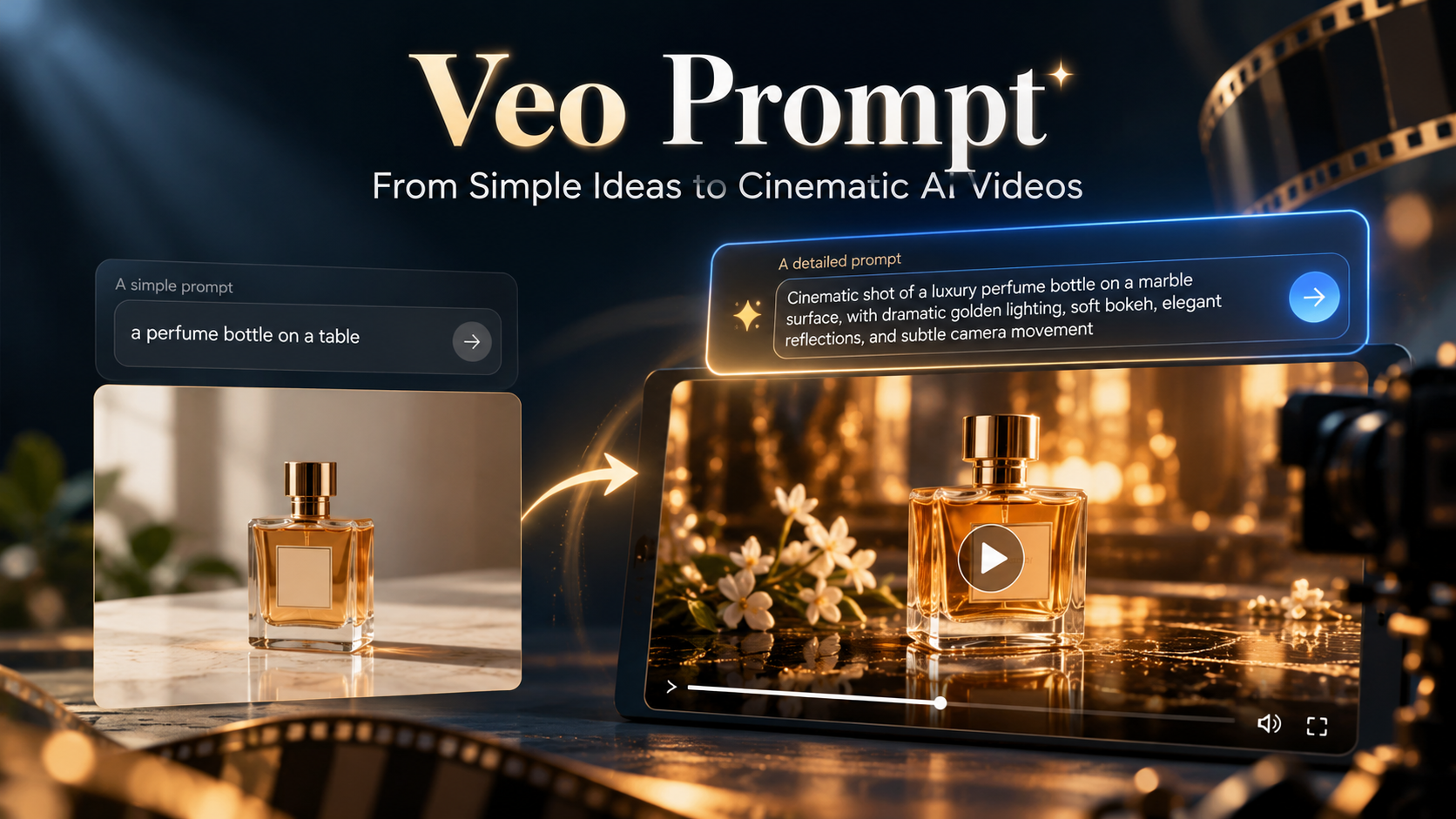
Veo Prompt: How to Turn a Simple Idea Into a Cinematic Video — A Before-and-After Experiment With Ready-to-Use Examples
You can start with a great idea and still end up with an ordinary-looking video. Often, the difference between a generic clip and a polished commercial comes down to the instructions in your prompt.
In this guide, we'll improve one idea visually, compare the results, and turn it into video prompts you can test with Veo.
What Is a Veo Prompt, and Why Isn't One Sentence Enough?
A Veo prompt is the text you use to tell a video generation model what to show: the main subject, what happens on screen, the setting, lighting, camera movement, and, when supported, audio.
If you simply write "a perfume bottle on a table," you've named the subject but left most of the creative decisions to the model.
When you specify the shot type, camera movement, and visual mood, your prompt starts to resemble a director's brief.
No magic formula guarantees a perfect result every time. However, Google's official video-generation guidance recommends clear, specific descriptions that bring together the subject, action, composition, lighting, and audio direction where applicable.
A Practical Experiment: One Idea, Two Very Different Images
Let's use a simple product-ad concept: a luxury perfume bottle on a table.
We created two illustrative images using ChatGPT's image-generation tool. The first uses a basic visual description; the second adds deliberate choices about lighting, mood, background, and reflections.
A note about the experiment: These are real generated images, not frames from a Veo-generated video. They demonstrate how more specific creative direction changes an image's appearance. We'll then provide separate video prompts you can try in Veo or another compatible interface.
Version 1: The Basic Prompt
Prompt:
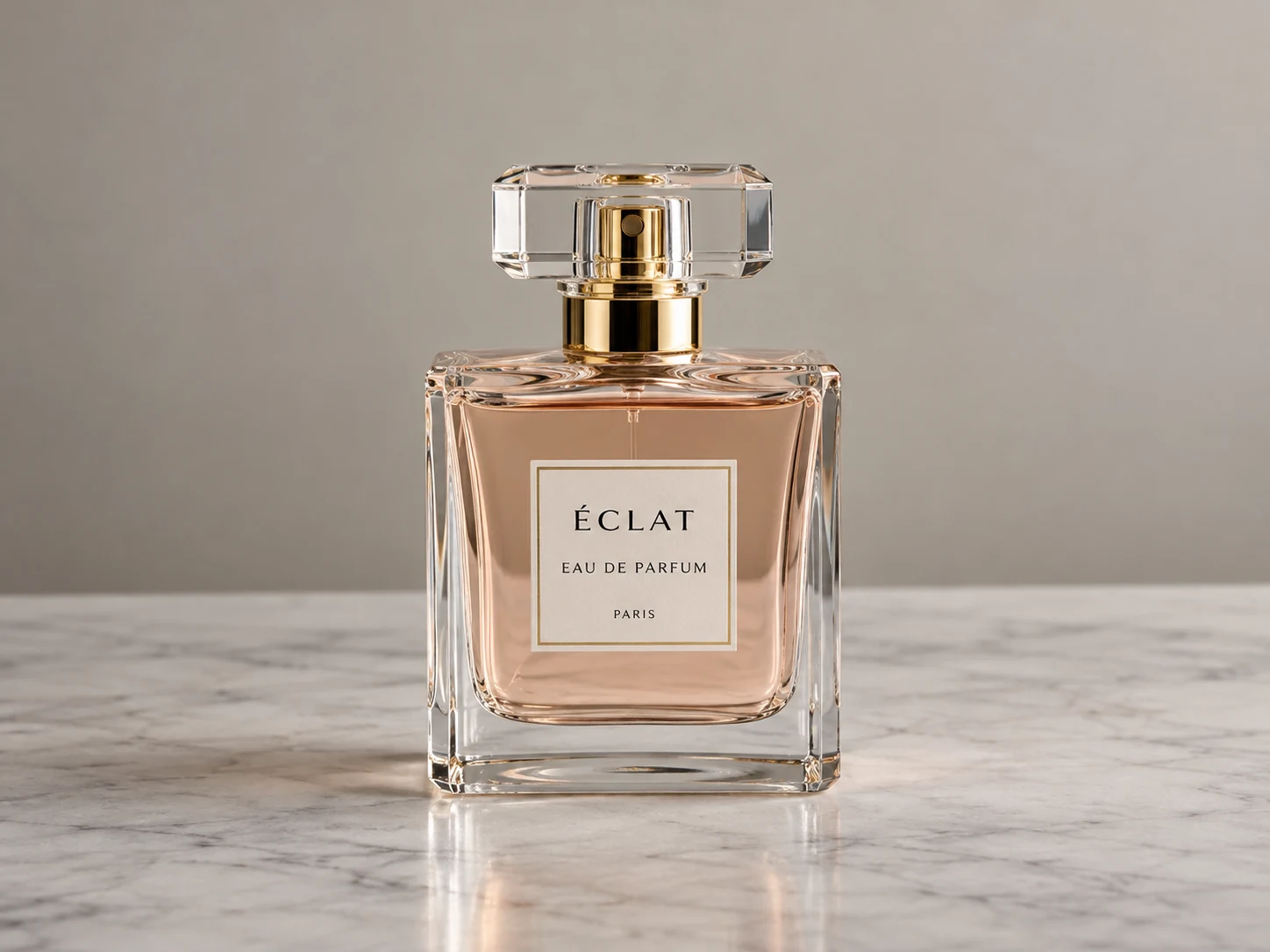
"A luxury perfume bottle on a table."
Image 1 — Before: A clean product shot with neutral lighting and a simple background.
The first result isn't bad. The product is recognizable, and the composition is tidy.
But it doesn't have much of a distinctive advertising identity. There are no instructions about the light, atmosphere, or visual style.
This is the difference between telling a model what to show and explaining how to present it.
Version 2: An Improved Cinematic Prompt
Improved Prompt:
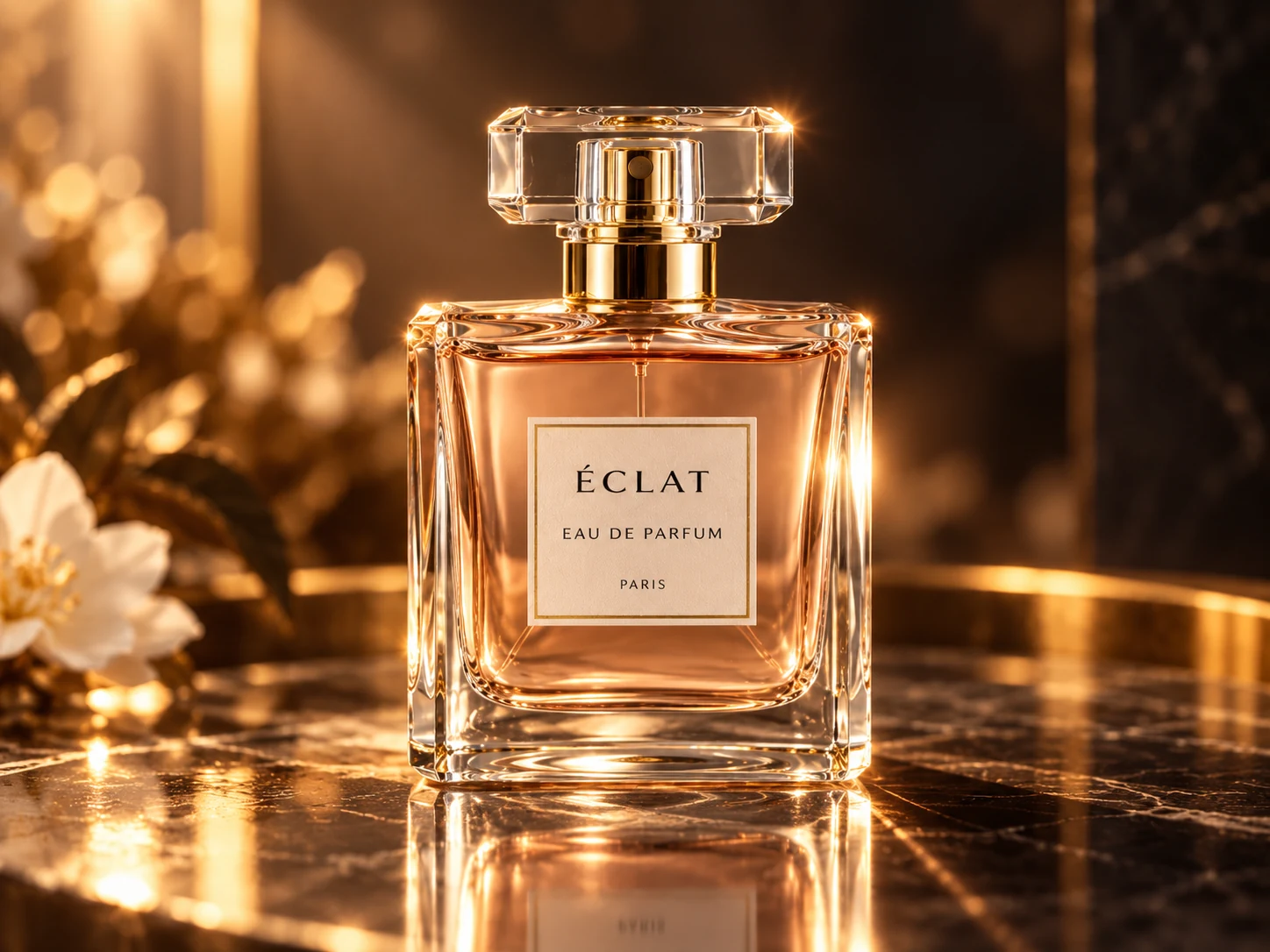
"A premium cinematic beauty shot of one elegant crystal perfume bottle on glossy dark marble. Warm golden rim lighting illuminates the glass edges, with subtle amber reflections, delicate golden bokeh and a softly blurred white flower in the background. Rich contrast, polished luxury-advertising aesthetic, shallow depth of field, sharp detail on the bottle, sophisticated reflections and a dark atmospheric backdrop."
Image 2 — After: Warm golden lighting, a dramatic background, and reflective surfaces create a luxury-ad aesthetic.
What changed?
Not the central concept. We added specific visual decisions:
- A darker backdrop.
- Warm rim lighting.
- A reflective surface.
- Shallow depth of field.
- Background details that don't compete with the product.
The second image now communicates a clearer premium brand mood.
This is an illustrative before-and-after comparison, not a controlled scientific benchmark of a particular model. Generative results can vary across attempts.
Now, How Do We Turn These Ideas Into Video Prompts?
For text-to-video, start with one of the prompts below.
If your chosen interface supports image-to-video, you can also upload one of the reference images and concentrate on the movement and sound: the image already provides much of the product's appearance and environment.
Basic Veo Video Prompt:
"A perfume bottle on a table. The camera slowly moves closer."
Improved Veo Video Prompt:
"Create one continuous 8-second cinematic luxury perfume commercial. A single crystal perfume bottle stands on glossy dark marble in a moody studio. The camera begins at a medium close-up and performs a slow, smooth dolly-in with a very subtle arc to the right. Warm golden rim light catches the glass edges; soft amber bokeh glows behind the bottle, and delicate reflections shimmer on the marble.
Keep the bottle stable, centered and sharply in focus while the background remains softly blurred.
Audio: a gentle atmospheric musical swell and a delicate glass-like shimmer, with no dialogue or voice-over.
No cuts, no extra products, no sudden camera movement."
The improved version doesn't just describe what appears in the frame.
It describes what happens during the shot: a slow camera move, a consistent direction, the way light catches the glass, and audio that supports the premium feel.
Each detail has a job instead of making the prompt longer for its own sake.
A Practical Formula for Writing Better Veo Prompts
Before writing, ask yourself:
Who or what is on screen? What are they doing? Where is the scene set? What is the viewing angle? How does the camera move? What do the lighting and colors look like? What should we hear? And what should the model avoid?
You don't need a lengthy answer to every question. Focus on the details that materially affect your intended result.
1. Define the Subject and Action Precisely
Instead of:
"A man in the street."
Try:
"A man wearing a gray coat crossing a rain-soaked street while carrying a black umbrella."
Video needs more than a static description: it needs an observable action.
2. Choose One Clear Camera Movement
Terms such as slow dolly-in (moving closer), tracking shot (following a subject), and slow pan (rotating horizontally) help describe the shot.
Avoid requesting an aerial transition, a full orbit, and a macro close-up within a few seconds unless your duration and shot sequence genuinely allow it.
3. Treat Lighting as Part of the Story
Warm golden lighting can work for a luxury advertisement.
Cool blue lighting can reinforce a mysterious scene.
Soft morning light suits a calm, natural moment.
Writing "cinematic" is less useful than explaining the light's direction, color, and effect.
4. Give the Background a Purpose
The background isn't filler.
A wet street reflecting neon signs creates a different feeling from a blank white wall.
Conversely, when the product is the hero, keep the background restrained and uncluttered.
5. Describe Audio in a Separate Sentence
If the generation interface supports audio, say exactly what you want:
Rain hitting pavement, an espresso machine hissing, quiet footsteps, or a voice-over.
"Professional sound" is too vague.
Describe what the viewer should hear, and avoid adding dialogue when it isn't needed.
6. Make the Action Fit the Video's Duration
A short clip works best with one clear action: pouring coffee, opening a door, or slowly orbiting a product.
The more events and transitions you demand, the harder it may be to maintain consistency.
For a longer story, break it into separate shots.
7. Add Constraints That Protect the Idea
When helpful, use instructions such as:
- No cuts.
- No dialogue.
- No extra objects.
- Stable camera.
These can reduce unwanted elements, though no set of negative instructions guarantees a flawless result.
5 Ready-to-Use Veo Prompts You Can Copy and Customize
Example 1: A Cinematic Scene in a Rainy City
Veo Prompt:
"A single 8-second cinematic night shot of a lone person in a charcoal coat walking across a rain-soaked city crosswalk. Neon signs reflect on the wet asphalt, passing cars glow softly in the distance.
The camera tracks alongside the person at eye level with smooth movement.
Cool blue shadows contrast with warm red reflections.
Audio: steady rain, distant traffic, footsteps on wet pavement.
No dialogue, no cuts."
Why this works:
This is useful for short-film creators and dramatic ads.
Try changing "night" to "early morning" and observe how that shift may change the mood.
Example 2: A Short Coffee Commercial
Veo Prompt:
"An elegant close-up product commercial of fresh espresso pouring into a small ceramic cup on a wooden café counter.
Soft morning sunlight comes through a nearby window, highlighting steam rising from the coffee.
The camera performs a slow macro dolly-in toward the crema.
Warm natural colors, shallow depth of field.
Audio: realistic espresso machine hiss, gentle liquid pour, quiet café ambience.
One continuous shot, no text overlay."
Why this works:
This prompt centers on one action: pouring espresso.
Camera movement, sound, and lighting all reinforce the product without competing for attention.
Example 3: An Emotional Moment for a Short Story
Veo Prompt:
"A quiet cinematic close-up of an elderly man sitting beside a window at sunset, gently opening an old handwritten letter.
His expression slowly changes from curiosity to a tender smile.
The camera remains steady and gradually pushes in.
Soft orange sunlight falls across his face, dust motes drifting in the air.
Audio: paper rustling and faint wind outside.
Natural acting, intimate mood, no dialogue."
Why this works:
An emotional scene doesn't need dozens of events.
A small gesture, a facial expression, and carefully timed movement can be enough.
Example 4: A Travel-Style Nature Shot
Veo Prompt:
"A cinematic aerial shot gliding slowly above a turquoise coastline at sunrise.
Clear water rolls toward a pale sandy beach, with gentle waves leaving delicate white foam.
The drone moves forward in one smooth continuous motion, keeping the horizon stable.
Soft golden morning light, realistic colors and atmospheric depth.
Audio: gentle ocean surf and distant seabirds.
No narration or cuts."
Why this works:
For nature scenes, camera height and direction are often more helpful to specify than simply naming a beautiful destination.
Example 5: A Vertical Social Media Video
Veo Prompt:
"A vertical 9:16 social media product video of a sleek wireless headphone case opening on a clean minimalist desk.
The camera starts in a tight close-up, then smoothly tilts upward as the lid opens to reveal the earbuds.
Bright soft studio lighting, crisp product details, modern neutral background.
Audio: a subtle magnetic click and light ambient sound.
Keep the product centered with safe space for captions added later.
One shot, no generated captions or logos."
Why this works:
For vertical videos, consider leaving safe space for captions you'll add in your editor later instead of asking the model to generate text directly inside the shot.
Common Mistakes That Make Veo Prompts Less Effective
The first mistake is vagueness.
"Make an amazing video" doesn't tell the model what "amazing" looks like.
The second mistake is giving conflicting directions.
For example, requesting a locked-off camera that also moves rapidly creates an obvious contradiction.
The third mistake is cramming multiple scenes into a short prompt.
Without any sequence or timing, the model may struggle to produce a coherent shot.
The fourth mistake is forgetting sound when it matters.
Adding unnecessary audio instructions can also distract from the scene.
Another important mistake is changing everything between attempts.
A more useful approach is to hold the subject constant and test one variable at a time, such as lighting or camera motion.
That gives you a better idea of which change actually helped.
How to Create a Detailed Veo Prompt Without Writing It From Scratch
If you have an initial idea but aren't familiar with filmmaking terminology, you can use the GeneratePrompt AI video prompt generator.
Enter your concept, then choose options such as prompt language, video aspect ratio, visual style, camera movement, shot type, lighting, and quality, depending on the options available in the tool.
It helps you turn a rough idea into a more detailed prompt.
Try the Video Prompt Generator:
https://generateprompt.ai/video-prompt
For example, start with:
"A luxury perfume advertisement."
Then select:
- A vertical format.
- Cinematic visual style.
- Close-up shot.
- Slow camera movement.
- Warm lighting.
You'll have a more specific starting point than the original sentence alone.
Next, generate the video in your preferred video model and refine the prompt based on what works.
Keep in mind that the prompt generator creates prompt text; the actual video is generated separately by the video model or platform you choose.
Frequently Asked Questions About Veo Prompts
Do Veo Prompts Have to Be Written in English?
Not necessarily in every interface.
The most important thing is to use clear language that describes the scene precisely.
If your results aren't following the intended direction, try concise English wording with standard filmmaking terms.
Is a Longer Prompt Always Better?
No. Length isn't the goal.
A good prompt contains helpful, consistent details rather than repeating generic adjectives like "amazing" and "professional" over and over.
Can I Turn a Reference Image Into a Video?
Yes, if the version and interface you're using support image-to-video generation.
In that case, focus your text on the desired movement and audio, because the reference image already communicates much of the scene's appearance.
Can Veo Generate Sound Along With the Video?
Some Veo versions and interfaces support sound effects, ambience, and even speech.
Audio capabilities vary by model and product interface, so describe what you need and check the settings available to you.
Conclusion: A Better Prompt Is a Clearer Creative Decision, Not Just a Longer Description
We started with a simple idea: a perfume bottle on a table.
When we gave it a clearer lighting setup, visual direction, and background, we could see the difference between the two illustrative images.
When we added camera movement and audio, we had a video prompt ready to test.
That's the principle worth remembering:
Don't just tell the model what to film. Tell it how you want the audience to see and hear the moment.
A well-written Veo prompt is not necessarily the longest one. It's the one that makes your creative intention clear.
Whether you're creating product advertisements, cinematic short films, social media videos, or educational content, the quality of your instructions can make a noticeable difference.
Start with a simple idea, improve one element at a time, and use each result to guide your next prompt.
Ready to create your own cinematic video prompt?
Visit GeneratePrompt AI and turn your idea into a detailed, structured prompt.
https://generateprompt.ai/video-prompt
Sources and Further Reading
- Google Cloud — Video Generation Prompt Guide
- Google AI for Developers — Veo
- Google Cloud — Best Practices for Generating Videos