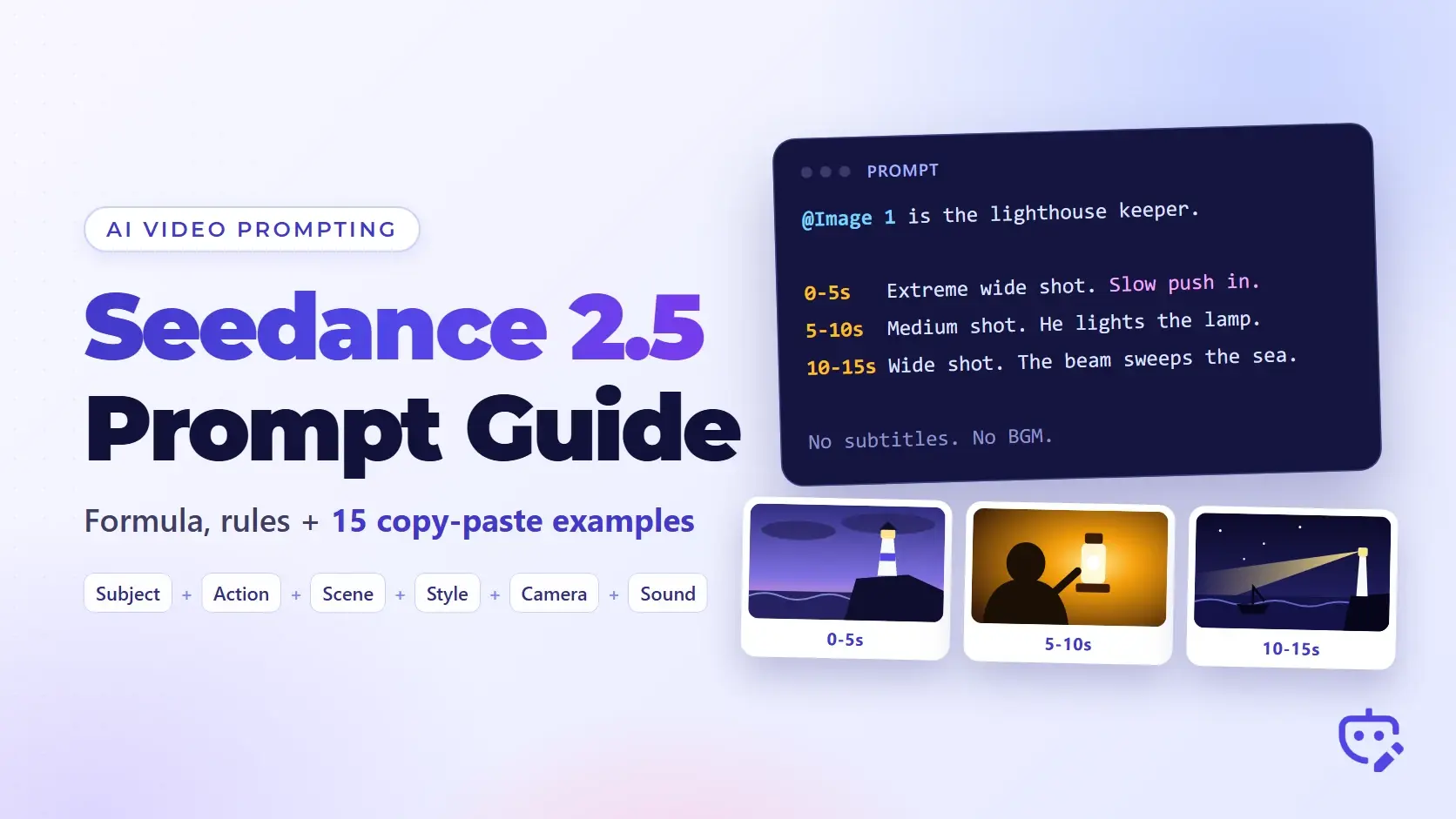
Short answer: write a Seedance 2.5 prompt the way you would brief a film crew. Say what each uploaded reference is for, sum up the video in one sentence, then describe it second by second: who does what, where, how the camera moves and what we hear. ByteDance's own formula is subject + action + scene + style + camera + sound. This Seedance 2.5 prompt guide explains that formula, the rules for timestamps and @ references, and gives you 15 prompt examples to copy. If you'd rather not write prompts by hand, describe your idea in our free Seedance prompt generator and paste the result into Seedance.
Facts in this guide were checked on November 13, 2026 against ByteDance's official Seedance 2.5 prompt guide and tutorial on BytePlus ModelArk. Limits inside apps such as Dreamina and CapCut can differ from the API, so check your own account before you rely on a number.
What changed in Seedance 2.5, and why your prompts should change too
ByteDance released Seedance 2.5 on July 31, 2026. In its own summary, ByteDance calls it a smaller jump than Seedance 2.0 was. Picture quality was already strong, so this release went into longer videos, more reference files and better editing. Each of those affects how you write.
- One generation can now run from 4 to 30 seconds. Seedance 2.0 stopped at 15. A 30-second clip needs a timeline, because a one-line prompt leaves the model to invent most of it.
- Seedance 2.5 follows timestamps written in whole seconds. Seedance 2.0 ignored timestamps and only responded to shot numbers.
- You can attach up to 50 reference files to a single request: 30 images, 10 videos and 10 audio clips. Seedance 2.0 took 9 images, 3 videos and 3 audio clips. With that many files, telling the model which file does which job becomes the main skill.
- Editing and extension are built in. You can change part of an existing video by timestamp or continue it forward or backward.
- Through the API, output is 480p, 720p or 1080p (10-bit color at 1080p). Aspect ratios are 21:9, 16:9, 4:3, 1:1, 3:4 and 9:16, plus an adaptive mode that follows your input files.
- Sound is generated together with the picture, and the model understands prompts and produces speech in 11 languages: English, Spanish, Chinese, Portuguese, Japanese, Korean, Arabic, Indonesian, Malay, Thai and Vietnamese.
- Draft mode makes a quick 480p preview that you can then turn into a 1080p final, which is a cheap way to test a prompt.
The Seedance 2.5 prompt formula
The official formula has six parts:
Subject + action + scene and environment + visual style + camera movement or cuts + sound
You don't need all six every time. ByteDance says to leave out any part the shot doesn't need. Here is a short prompt that uses every part once:
A golden retriever puppy chases a red ball across wet sand on an empty beach at sunrise. Warm 35mm home-movie look with soft grain. Low tracking shot running beside the puppy. Sound: small waves, paws slapping wet sand, happy panting. No music.
The guide's main advice is to treat Seedance 2.5 as a visual content producer. In practice that means writing what a viewer would see and hear, in the order it happens. A few habits from the official guide help with that:
- Describe most movement in general terms and save the detail for the one or two moments you want people to remember. A prompt that choreographs every finger usually gets stiffer motion.
- Write expressions in plain sentences. "Her eyes widen and she takes a step back" works better than an idiom such as "her heart skips a beat."
- Say what you want to see. Lists of things to avoid work poorly for visuals (there is a section on negative prompts below).
- Give every stretch of time a fair amount to do. Too little and the model improvises. Too much and it adds cuts or drops part of the story.
Seedance 2.5 prompt structure: a template you can copy
For anything longer than a single shot, ByteDance recommends four blocks in this order: what the references are, a one-sentence summary, the timeline, and notes about what stays the same. This Seedance 2.5 prompt template follows that order. Delete the first line if you have no reference files.
References: @Image 1 is [the main character]. @Image 2 is [the location]. @Audio 1 is [the character's voice].
Summary: [Subject] [does what] in [location]. [Genre or visual style], [main camera approach]. [Length] seconds, [aspect ratio].
0-4 seconds: [shot size and camera move]. [What happens]. [Sound or spoken line].
4-9 seconds: [shot size and camera move]. [What happens]. [Sound or spoken line].
9-15 seconds: [shot size and camera move]. [What happens]. [Sound or spoken line].
Notes: [what stays the same in every shot: the character's look, the lighting, the color grade]. [Audio rules, for example: No subtitles. No BGM.]
The summary sentence is worth the ten seconds it takes. The official guide builds it from subject, location, event, style and camera movement, and it gives the model the whole picture before the details arrive. Our Seedance 2.5 prompt generator fills in this same structure from a rough idea, including the timed shots and reference tags.
If you learn faster by watching, this walkthrough from JSFILMZ covers prompt tips for the US release, long videos and the 50-reference limit:
Video: Seedance 2.5 Prompt Tips (USA Release, Long Video & 50 References) by JSFILMZ on YouTube.
How to write timestamps and multi-shot prompts
Timestamps are the biggest prompting change from Seedance 2.0. The official rules are short:
- Work in whole seconds. "0-3 seconds" is fine. "0-2.5 seconds" is not something the model tracks.
- Keep the timeline continuous. If one range ends at 3, the next one starts at 3. A gap such as "0-3 seconds" followed by "5-6 seconds" confuses the result.
- Match the amount of action to the time. A hug, a line of dialogue and a camera move won't fit in two seconds.
- Don't use timestamps for fast repeated motion. ByteDance's example of what to avoid is "shake your head three times per second."
- Seedance 2.5 accepts three ways of marking time, and you can mix them in one prompt:
- Ranges: "0-3 seconds ... 3-7 seconds ... 7-15 seconds", or "[1s-4s] ... [4s-8s]".
- A single moment: "At the 5-second mark, a quick whip pan to the left."
- Relative time: "She stands still. After 3 seconds, everyone around her turns to look."
"Shot 1, Shot 2, Shot 3" still works if you'd rather not count seconds, and you can combine the two as "Shot 1 (0-3s)". For a cut or transition, give the time it happens and the method, for example "at the 8-second mark, match cut from the spinning coin to the full moon."
How to use @ references: images, video and audio
Reference files are numbered by type in the order you upload them: @Image 1, @Image 2, @Video 1, @Audio 1. The model does not guess what each file is for. You have to say it in the text.
- Bind every file to a job. "@Image 1 is the main character. @Image 2 is the kitchen. Use @Audio 1 as her voice."
- Say which part to borrow when you only want part. "Refer to @Video 1 for the camera movement only" or "Refer to @Image 3 for lighting and color."
- Don't rely on names written inside a picture. ByteDance warns that labeling an image "John" and then writing "John is at school" tends to cause mixed-up or duplicated characters. Write "the man in @Image 1" instead.
- Upload characters in the order they first appear in the video. In the official troubleshooting example, reordering the images was the only change needed to fix a character swap.
- If a reference already shows exactly what you want, point to it and stop. "Strictly refer to the actions and camera movements in @Video 1" is enough. Describing the same motion again in words gives the model two versions to reconcile.
ByteDance also publishes recommended amounts. Results are most stable with 1 to 8 subjects when you reference images, audio or video reference clips of 5 to 10 seconds, and storyboard images of 15 panels or fewer drawn as simple line art without text. For edits, keep the source video at 20 seconds or less.
Two other ways to use images are worth knowing. You can set start and end frames ("@Image 1 is the first frame and @Image 2 is the last frame"), or hand over a sequence ("Use Images 1 to 7 in order as keyframes"). If your reference image doesn't exist yet, write its prompt with our AI image prompt generator, or pull a prompt out of a picture you like with image to prompt.
Camera movements and shot terms Seedance 2.5 understands
You can write standard film language directly. These terms come from the camera section of the official guide:
- Shot sizes: extreme wide shot, wide shot, medium shot, medium close-up, close-up.
- Camera moves: push in, pull out, pan, tilt up, track, follow, orbit, dive, handheld shake.
- Angles: low angle, overhead, first-person view.
- Techniques: one-shot or long take, dolly zoom, aerial shot, FPV, bullet time, handheld, speed ramp.
For a less common term, write the name and then describe what it looks like. The guide's example is rack focus: "the focus shifts smoothly; the trees that were originally clear in the foreground become blurred, while the character in the background gradually becomes clear."
One camera move per shot is the safe default. If you want two, put them in order with a time: "push in for the first 3 seconds, then orbit left."
Sound, dialogue and music in Seedance 2.5 prompts
Seedance 2.5 generates audio with the video, so a prompt with no sound description gets whatever the model picks. Three things are worth writing down.
First, the sounds in each shot: footsteps on gravel, a door closing, rain on a window. Second, any spoken lines. Use the format the official guide recommends, with the speaker, the emotion in parentheses and the exact words in quotation marks:
Maya (tired but amused): "You drove four hours for a sandwich?"
State the language if the line isn't obvious from the text, and keep each line short enough to say in the time you gave it. Third, the music policy. If you want a score, name the genre and the mood. If you don't, say so in the notes, because the model often adds background music on its own.
ByteDance's API tutorial adds an optional convention for keeping the sound layers apart: (parentheses) for music, <angle brackets> for sound effects, {curly braces} for dialogue and 【corner brackets】 for on-screen text. Plain sentences work too, so use the marks only if a busy prompt keeps mixing the layers up.
Do negative prompts work in Seedance 2.5?
Partly. The official guide says to use positive descriptions whenever possible, and it names two places where negative instructions are supported: subtitles and audio.
No subtitles.
No BGM; generate only environmental sounds and action sounds.
No audio.
For the picture, describe the result you want. "Normal human hands with five fingers, natural skin texture" does more than "no extra fingers, no plastic skin." Long exclusion lists copied from image models mostly waste space in a Seedance 2.5 prompt.
15 Seedance 2.5 prompt examples to copy and paste
Each prompt below follows the rules above. Change the subject and keep the structure. If you need one for a different idea, type a sentence into the free Seedance prompt generator and it will write the full prompt for you.
Text-to-video prompts
1. Product ad (vertical, 8 seconds)
Vertical 9:16, 8 seconds. A frosted glass bottle of orange soda stands on a block of ice against a deep blue background. Condensation runs down the glass and a slice of orange drops into frame, splashing a ring of droplets. Clean commercial studio look, hard top light, crisp reflections. Slow push in from a medium shot to a close-up on the label. Sound: ice cracking, a fizzy hiss, one bright bass hit when the orange lands. No subtitles.
2. One-take travel shot (16:9, 10 seconds)
16:9, 10 seconds, one continuous shot with no cuts. An FPV camera flies low over a turquoise river in a red rock canyon at golden hour, rises over a sandstone arch, then dives toward a lone hiker standing on the rim with arms raised. Realistic drone footage, natural color, light lens flare. Sound: rushing air, distant water, an eagle call. No BGM.
3. Food close-up (1:1, 6 seconds)
1:1, 6 seconds. A chef's hands pull a slice of pepperoni pizza away from the pie and the cheese stretches in long strands. Wood-fired pizzeria at night, warm orange oven glow behind, steam rising. Macro close-up with shallow depth of field, slow motion, a slight tilt up following the slice. Sound: crust crackling, soft kitchen chatter. No music.
4. Anime action beat (16:9, 8 seconds)
16:9, 8 seconds. A teenage swordswoman with a short silver bob and a navy school uniform sprints across a rooftop at dusk and leaps the gap to the next building. Hand-drawn 2D anime style, bold outlines, painted sky in pink and violet. Side tracking shot at her speed, then a speed ramp into slow motion at the top of the jump. Sound: fast footsteps, wind, a rising synth note that cuts to silence in mid-air.
Multi-shot prompts with timestamps
5. Three-shot short story (15 seconds)
Summary: an old lighthouse keeper lights the lamp as a storm rolls in. Moody realistic drama, 16:9, 15 seconds.
0-5 seconds: Extreme wide shot of a white lighthouse on a black cliff, dark clouds moving in fast, waves breaking below. Slow push in.
5-10 seconds: Medium shot inside the lamp room. The keeper, a man in his seventies with a grey beard and a yellow oilskin coat, strikes a match and lights the lamp. Handheld camera, warm light on his face.
10-15 seconds: Wide shot from the sea. The beam sweeps across the water and passes over a small fishing boat. Camera holds still.
Notes: the same keeper and coat in every shot, cold blue exterior and warm amber interior. Sound: wind, heavy surf, the match striking, a low horn in the last shot. No subtitles. No BGM.
6. 30-second brand film (six timed shots)
Summary: a morning at a small-town bakery, from the first light switch to the first customer. Warm documentary style, natural light, 16:9, 30 seconds.
0-4 seconds: Wide shot of a dark street before dawn. A light turns on in the bakery window. Locked-off camera.
4-9 seconds: Close-up of floured hands kneading dough on a wooden table. Slow push in.
9-14 seconds: Medium shot of the baker, a woman in her forties with a red bandana, sliding a tray of loaves into a brick oven. Handheld.
14-20 seconds: Macro shot of crust turning golden through the oven door, heat shimmer in the air.
20-26 seconds: Medium shot from behind the counter as she sets croissants in the display case. Sunlight reaches the window.
26-30 seconds: Wide shot of the front door. The first customer walks in and the baker looks up and smiles. Slow pull out.
Notes: the same baker, apron and bandana throughout. Light shifts from cool blue to warm gold across the video. Sound: quiet room tone, dough slapping the table, oven door, doorbell at 27 seconds. Soft acoustic guitar starting at the 14-second mark. No subtitles.
7. Time-point control (12 seconds)
Vertical 9:16, 12 seconds. A street dancer in a white hoodie and loose black cargo pants dances alone in an empty parking garage. Medium shot, the camera orbits him slowly to the right. At the 4-second mark, the overhead lights switch from white to deep red. At the 8-second mark, the camera dives to a low angle and he freezes in a pose with one hand on the ground. The frame holds for the last 2 seconds. Music-video look with strong contrast. Sound: heavy hip-hop drums, sneakers squeaking on concrete.
Image-to-video and reference prompts
8. Animate a photo (first frame)
@Image 1 is the first frame. 6 seconds. The woman in the photo lowers her coffee cup, looks out of the window and smiles slightly as steam rises from the cup. The camera pushes in very slowly. Keep her face, hair, clothing and the room exactly as they are in @Image 1. Sound: quiet café ambience, a cup touching a saucer. No music. No subtitles.
9. Character, location and product from three images
References: @Image 1 is the runner. @Image 2 is the mountain trail. @Image 3 is the running shoe; keep its colors and logo exactly as shown.
Summary: the runner from @Image 1 trains alone on the trail from @Image 2 at sunrise wearing the shoes from @Image 3. Sports commercial look, 16:9, 10 seconds.
0-4 seconds: Low tracking shot beside the shoes hitting the dirt, dust kicking up.
4-10 seconds: Cut to a wide shot from the front as the runner comes over a ridge with the sun behind. Slow push in to a medium shot.
Notes: the same runner and outfit in both shots. Sound: steady breathing, footsteps on gravel, wind. No BGM.
10. Copy motion and camera from a reference video
References: @Video 1 is the motion and camera reference. @Image 1 is the character.
Strictly refer to the actions and camera movements in @Video 1 and keep the sequence the same. Replace the performer with the astronaut from @Image 1 and set the scene on a moonlit desert of white sand. Realistic cinematic look. Do not copy the background or lighting of @Video 1. Sound: soft footsteps on sand, slow breathing inside a helmet.
11. First and last frame
@Image 1 is the first frame and @Image 2 is the last frame. 8 seconds, one continuous shot. Start on the empty desk in @Image 1. Over the 8 seconds, time-lapse the desk filling up with a laptop, notebooks, a plant and a cup of coffee until it matches @Image 2 exactly. The camera rises slowly from desk level to a top-down view. Daylight moves across the desk from left to right. Sound: light keyboard clicks, pages turning.
Dialogue and audio prompts
12. Two-person dialogue scene
16:9, 12 seconds. Two friends sit in a parked car at night outside a diner, neon light on the windshield. Language: American English.
0-5 seconds: Medium two-shot through the windshield. Maya (tired but amused): "You drove four hours for a sandwich?"
5-9 seconds: Close-up on Dan in the driver's seat, holding up a paper bag. Dan (proud): "For the best sandwich in Ohio."
9-12 seconds: Back to the two-shot. Maya takes the bag, laughs and shakes her head.
Notes: natural lip sync, the same faces and clothes in every shot. Sound: quiet car interior, distant highway. No BGM. No subtitles.
13. UGC-style product review
Vertical 9:16, 10 seconds. A woman in her twenties films herself with a phone in a bright bathroom, holding a small jar of moisturizer next to her face. Handheld selfie framing with slight natural shake. She speaks to the camera in American English (friendly, casual): "Okay, I've used this for two weeks, and my skin has never felt this soft." She taps the lid twice with a fingernail and smiles. Natural daylight, real skin texture. Audio: her voice and room tone only. No music, no BGM, no score. No subtitles.
Edit and extend prompts
14. Edit part of a video
Edit @Video 1. Keep the composition, camera movement, lighting and the actor's performance unchanged. From 3 to 6 seconds, change the red umbrella she is holding into a clear umbrella with raindrops on it. Everything else stays the same. No subtitles.
15. Extend a video
Extend @Video 1 forward by 5 seconds. The cyclist keeps riding down the hill, reaches the bottom and brakes beside the lake. The camera keeps following from behind, then rises to reveal the whole lake at sunset. Keep the same rider, bike, color grade and sound style as @Video 1.
For extension jobs ByteDance recommends MOV as the output format, and notes that continuing a clip that Seedance 2.5 made itself gives the cleanest join.
Artlist has also published a Seedance 2.5 guide on YouTube, which is worth watching next to the official documentation:
Video: Finally, a Realistic Guide to Seedance 2.5 by Artlist on YouTube.
Seedance 2.5 problems and how to fix them
These fixes come from the troubleshooting section of ByteDance's guide.
Glowing or unnatural eyes
Add "normal human eyes; no glowing eyes" and tone down the emotion words. Strong words such as "fanatical" or "extremely shocked" push the model toward glowing pupils. "Amazed" is safer.
Misspelled text on screen
Spell the word out letter by letter in the prompt ("D", "I", "N", "E", "R"), or upload an image of the exact text and reference it.
Subtitles appear even though you said "no subtitles"
Write lines in the "Character (emotion): line" format, and don't repeat words from the dialogue elsewhere in the prompt. Check your reference video too. If it has burned-in subtitles, the output often copies them. ByteDance says this is better in 2.5 than in 2.0 but not fully solved.
Music you didn't ask for
State the audio policy at the start and again at the end of the prompt, and list the words the model might read as music: no music, no BGM, no score, no instrumental.
Characters swap or merge
Reorder your reference images so they match the order in which the characters first appear, then update the numbers in the prompt.
Extra cuts or missing actions
You have packed too much into a time range. Give the action more seconds or remove a beat.
A complex job keeps failing
Split it in two. Generate the base video from your references first, then run a second pass that edits it.
Seedance 2.5 vs Seedance 2.0: what to change in your old prompts
Seedance 2.0 prompts still run in 2.5, and the formula is the same. Three updates are worth making:
- Replace loose shot lists with timestamps where timing matters. Seedance 2.0 only understood "Shot 1, Shot 2." Seedance 2.5 follows "0-3 seconds."
- Re-plan for length. A prompt written for 10 or 15 seconds will feel thin at 30, so add shots instead of stretching the ones you have.
- Re-test your style words. ByteDance notes that 2.5 has a different default look from 2.0, so a prompt that gave you a certain grade or texture before may need a clearer style line now.
The same structure carries over to other models with small changes. If you also work in Google's or Kuaishou's tools, see our Veo prompt guide and the Kling prompt generator. For a prompt that isn't tied to one model, use the AI video prompt generator.
Where to use Seedance 2.5 in the US
ByteDance launched Seedance 2.5 first in its Chinese apps, Jimeng AI and Doubao. Developers can reach it through the BytePlus ModelArk API under the model ID dreamina-seedance-2-5-260628. For everyone else, Dreamina (ByteDance's creative app) announced Seedance 2.5 on October 23, 2026, and it is reported to be rolling out to US accounts in Dreamina and CapCut. Access and credit prices vary by account, so check what yours shows.
Outside the US, some people use Seedance through ByteDance's Dola assistant. Our Dola AI video generator guide covers that route.
Frequently asked questions
What is the best prompt structure for Seedance 2.5?
For a single shot, use the formula: subject, action, scene, style, camera and sound. For longer videos, use the four blocks from ByteDance's guide: what each reference is for, a one-sentence summary, a timeline in seconds or numbered shots, and notes on what must stay the same.
How long should a Seedance 2.5 prompt be?
Long enough to cover every second of the video. Two or three sentences are plenty for a 5-second shot. A 30-second video needs a timeline of several timed shots, so expect a prompt of a few short paragraphs, like example 6 above.
Does Seedance 2.5 support negative prompts?
Only in part. Negative instructions work for subtitles and audio, for example "No subtitles" and "No BGM." For visuals, ByteDance recommends describing what you want instead of listing what to avoid.
How many reference images can I use in Seedance 2.5?
Up to 30 images in one request, along with up to 10 videos and 10 audio clips, for 50 files in total. Number them by upload order (@Image 1, @Image 2) and tell the model what each one is for.
How long can a Seedance 2.5 video be?
From 4 to 30 seconds in one generation. You can make it longer with video extension, which continues an existing clip forward or backward.
Do Seedance 2.0 prompts work in Seedance 2.5?
Yes. The formula hasn't changed. You'll get more from 2.5 if you add timestamps, plan for the longer running time and re-check your style description, because the default look is different.
Can Seedance 2.5 generate dialogue in English and Spanish?
Yes. English and Spanish are two of the 11 supported languages. Name the language in the prompt and put the exact line in quotation marks.
Is there a free Seedance 2.5 prompt generator?
Yes. The GeneratePrompt Seedance prompt generator is free and needs no sign-up. You describe the idea, choose single or multi-shot, add camera, audio and reference details if you have them, and it writes a prompt in the structure this guide describes.
Start creating
Pick one of the 15 examples, swap in your own subject and generate a draft. When you have an idea that doesn't fit any of them, open the Seedance prompt generator, describe the scene in a sentence and copy the finished prompt into Seedance 2.5.